Uninstall guide for BrowserAir program (BrowserAir.exe)


BrowserAir.exe is a process related to a nasty potentially unwanted application called BrowserAir. As a matter of fact, it may be installed together with other free software. Once the installation is accomplished, users will see that BrowserAir became their default browser.
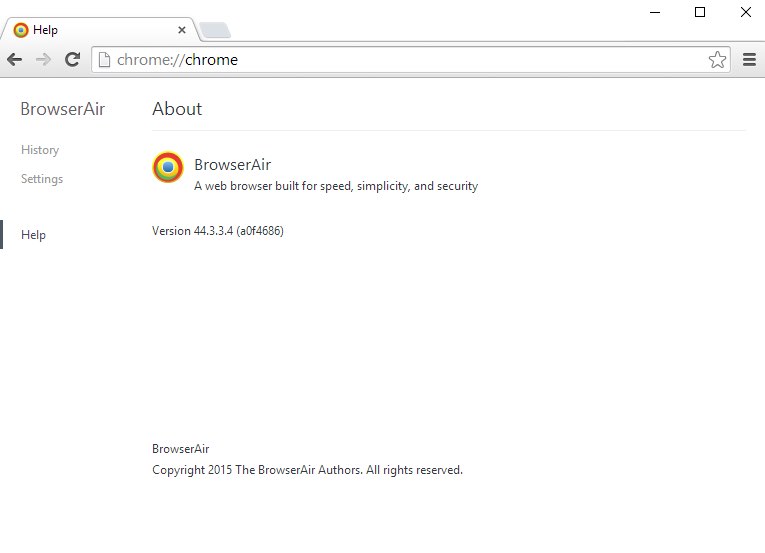
The creators of BrowserAir state that this is a “web browser build for speed, simplicity, and security”. But the problem is that none of these goals set by them is actually accomplished. Instead of a fast browser you see a slow computer, which is permanently redirected to random web pages. Additionally, one may notice various advertisement banners either in the home page of BrowserAir on startup, or along with the search results redirected through its related search engines.
BrowserAir may be spread in the web through installation of other free applications. If you are a person who prefers to install free software only, it is time to make sure that you do not allow any additional installations to occur in your computer. You may detect the process of BrowserAir called BrowserAir.exe when you open the Task Manager. Once you right-click on it, you will be able to open the containing folder of it. There will be many other related files there. All of them must be deleted, but the problem is that you will not be able to do that until you end up all active processes under the name of BrowserAir.exe.
You might end these processes through the Task Manager and attempt to get rid of BrowserAir manually. This solution works very well, by the way, if you actually succeed in terminating all these related processes. But if you cannot do that, please follow the guidelines below to get rid of BrowserAir automatically from your PC with the help of GridinSoft Anti-Malware.
Software to get rid of BrowserAir automatically.

Important milestones to delete BrowserAir automatically are as follows:
- Downloading and installing the program.
- Scanning of your PC with it.
- Removal of all infections detected by it (with full registered version).
- Resetting your browser with GridinSoft Anti-Malware.
- Restarting your computer.
Detailed instructions to remove BrowserAir automatically.
- Download GridinSoft Anti-Malware through the download button above.
- Install the program and scan your computer with it.
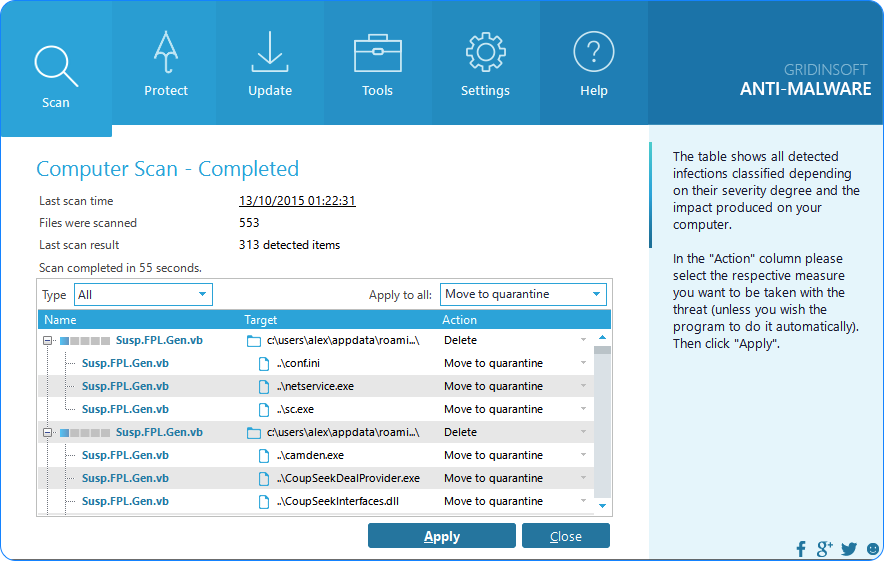
- At the end of scan click “Apply” to remove all infections associated with BrowserAir:
- Important! It is also necessary that you reset your browsers with GridinSoft Anti-Malware after this particular virus removal. Shut down all your available browsers now.
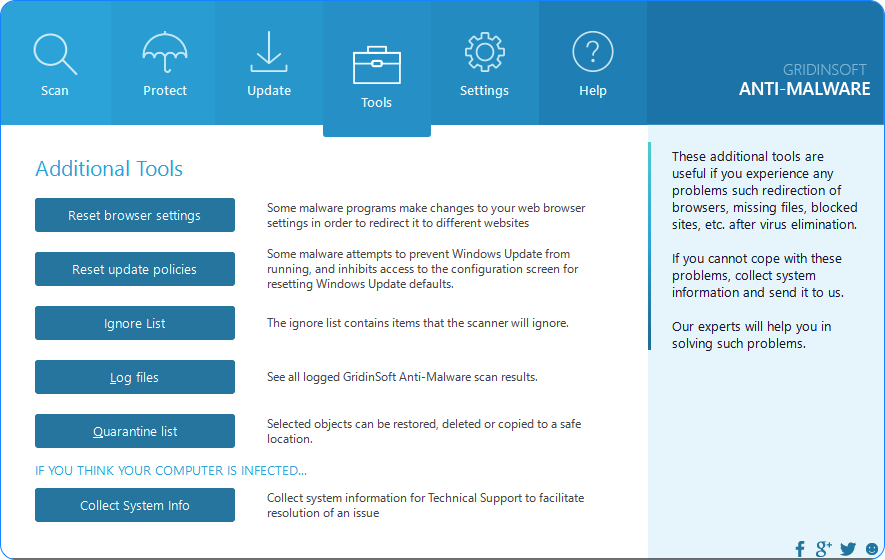
- In GridinSoft Anti-Malware click on “Tools” tab and select “Reset browser settings“:
- Select which particular browsers you want to be reset and choose the reset options.
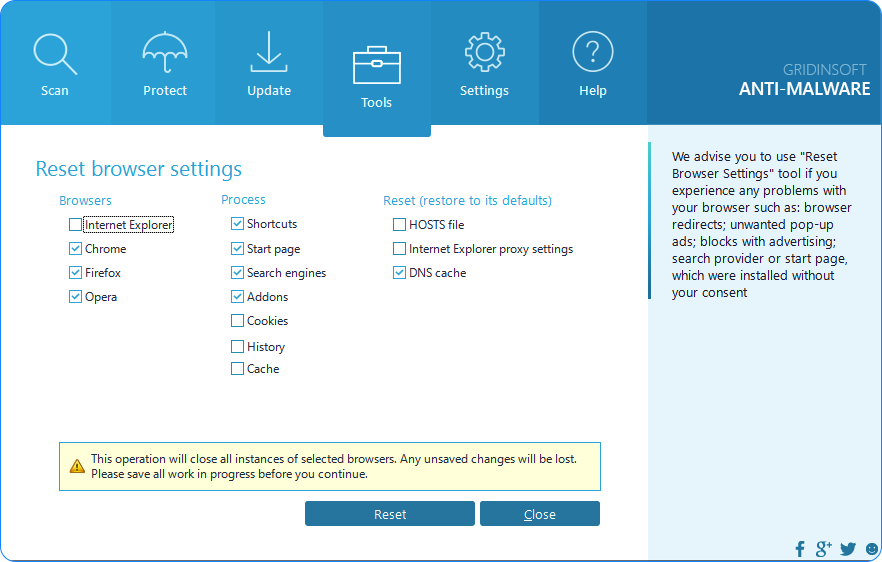
- Click on “Reset” button.
- You will receive the confirmation windows about browser settings reset successfully.
- Reboot your PC now.
Video guide explaining how to reset browsers altogether automatically with GridinSoft Anti-Malware:
How to prevent your PC from being reinfected:
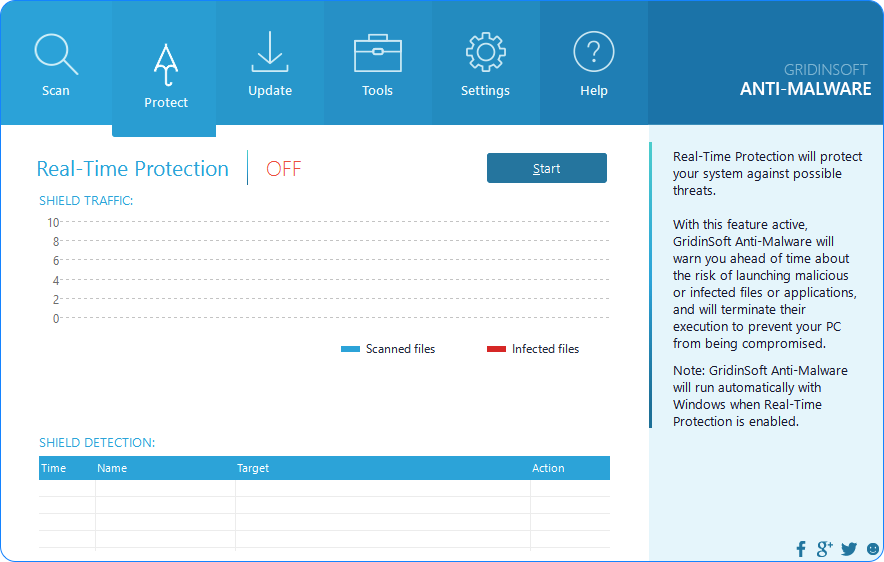
GridinSoft Anti-Malware offers a superb service to prevent malicious programs from being launched in your PC ahead of time. By default, this option is disabled once you install Anti-Malware. To enable the Real-Time Protection mode click on the “Protect” button and hit “Start” as explained below:
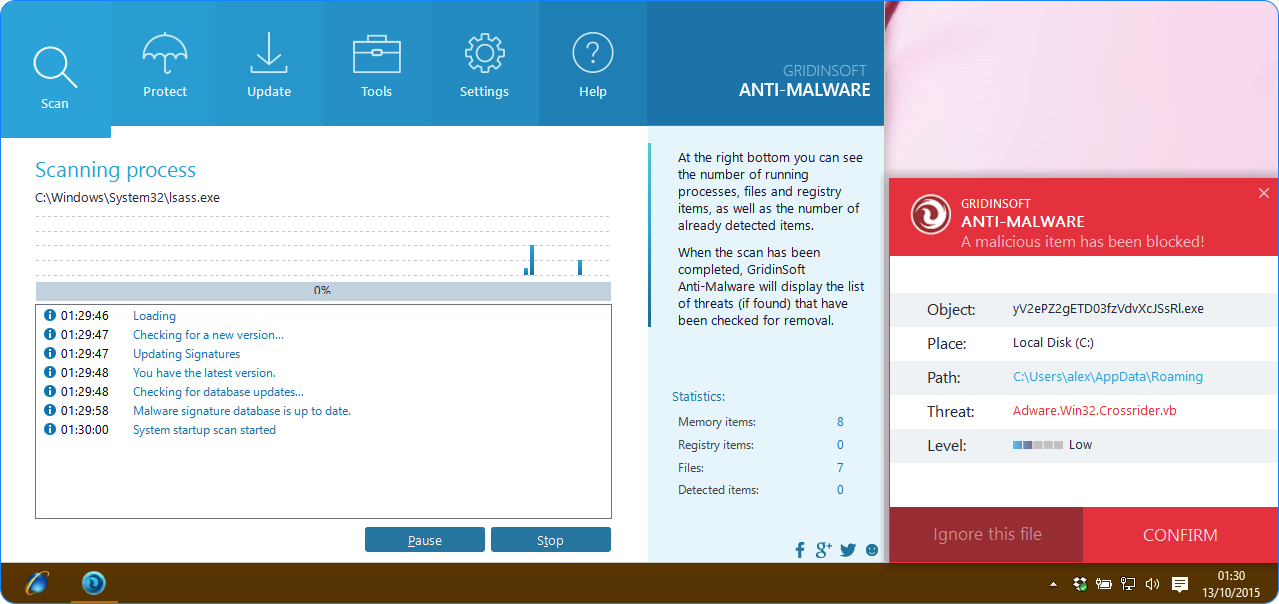
Once this option is enabled, your computer will be protected against all possible malware attacking your PC and attempting to execute (install) itself. You may click on the “Confirm” button to continue blocking this infected file from being executed, or you may ignore this warning and launch this file.
Categories: